
Menu +
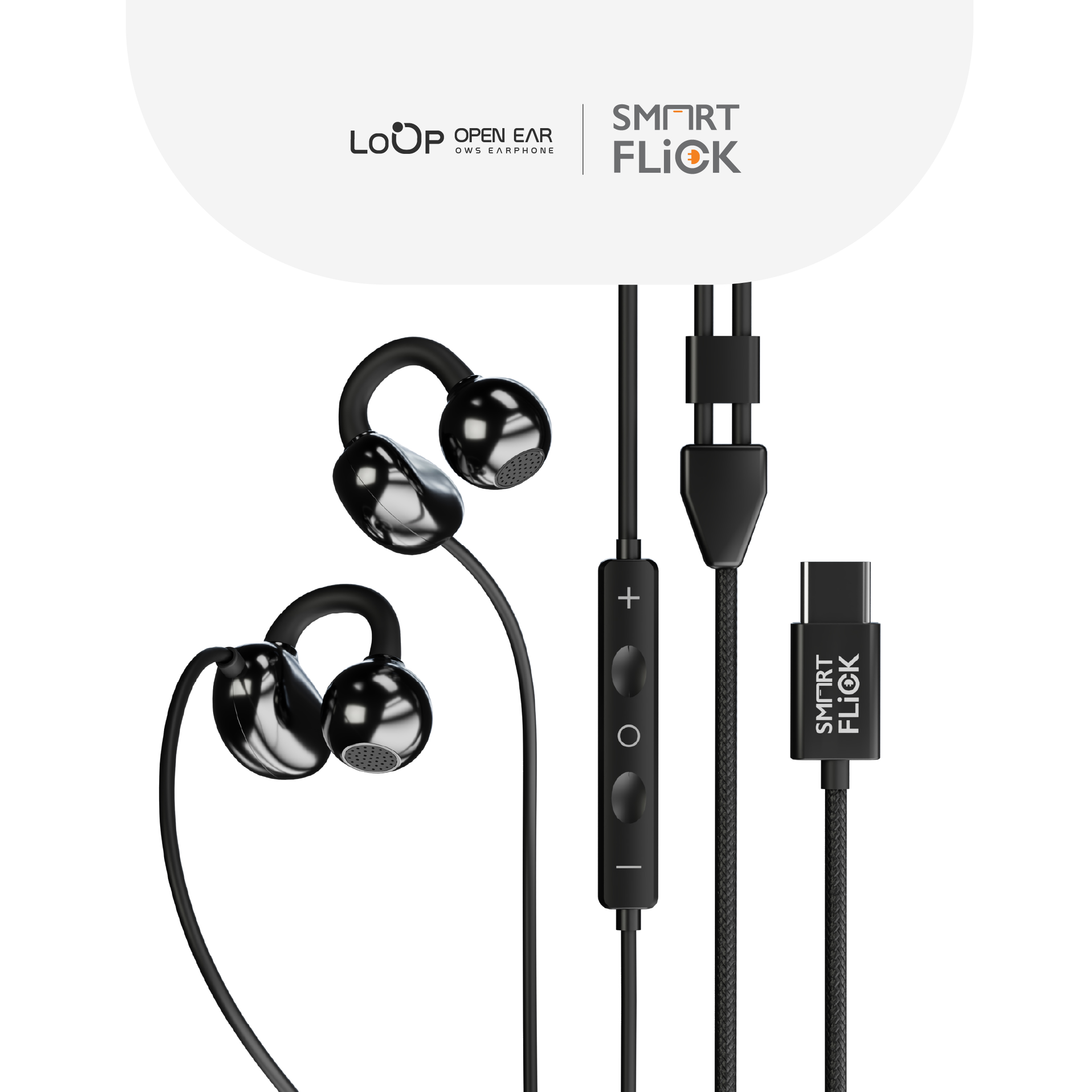
A little care makes everyday accessories easier to use and helps you spot problems early. Follow the instructions supplied with each product; cleaning methods can differ by material and device.
Disconnect before cleaning
Unplug accessories before cleaning them. Start with a soft, dry cloth and keep moisture away from connectors. Do not assume that a cleaner approved for a phone screen is suitable for an earphone, cable or power bank. For Apple devices, follow Apple’s product-specific cleaning guidance.
Store cables without strain
Coil cables loosely and avoid pulling them out by the wire. Check the connector and cable jacket regularly. Stop using an accessory if it is visibly damaged and ask the manufacturer for advice rather than attempting a repair.
Keep your setup compatible
Check your device’s charging requirements before choosing a replacement. Connector shape alone does not establish charging speed or supported features. Browse our charging cables and compare the specifications with your device’s manual.
Know your replacement cover
SmartFlick products have a six-month replacement-only defect warranty from purchase. Keep your order details and contact our warranty team if a product stops working. Read the replacement policy for eligibility and shipping charges.
Care and storage for Onyx X1 earbuds
For SmartFlick Onyx X1 Bluetooth TWS earbuds, follow the supplied cleaning and charging instructions. Keep the earbuds and case dry, avoid pushing debris into openings, and ask support before using a cleaning liquid. An IP water-resistance rating is not listed in the confirmed specifications.
Before choosing earbuds, check fit and listening time as well as care requirements. Onyx X1 lists up to four hours of playback per charge; actual duration varies with volume and use. Read the Onyx X1 fit and playback checklist and review the replacement policy before ordering.
Check the cable when using Nano 10
The Nano 10 10000mAh power bank offers USB-A and USB-C connections. Use a suitable, undamaged cable and avoid straining the connector while carrying your phone and power bank. If you plan to charge two devices, use the Nano 10 port and cable checklist to confirm the shared-output details with support.
3 thoughts on “How to Care for Your Charging Cables, Earphones and Power Banks”
Lorem ipsum dolor sit amet, consectetur adipiscing elit, sed do eiusmod tempor incididunt ut labore et dolore magna aliqua. Quis ipsum suspendisse ultrices gravida. Risus commodo viverra maecenas accumsan lacus vel facilisis.
Lorem ipsum dolor sit amet, consectetur adipiscing elit, sed do eiusmod tempor incididunt ut labore et dolore magna aliqua. Quis ipsum suspendisse ultrices gravida. Risus commodo viverra maecenas accumsan lacus vel facilisis.
Lorem ipsum dolor sit amet, adipiscing elit, sed do eiusmod tempor incididunt ut labore et dolore magna aliqua. Quis ipsum suspendisse ultrices gravida. Risus commodo viverra maecenas accumsan lacus vel facilisis.