Menu +
Choosing a mobile accessory starts with the job you need it to do. MagFlick Ultra and Nano 10 are power banks, Onyx X1 is a pair of wireless earbuds, Loop is a wired USB-C open-ear earphone, and Snapo is a charging disconnector. This guide compares their intended uses and the compatibility questions to check before buying.
Already have a product in mind? Jump to the compatibility checklists for all five products.
Which SmartFlick product fits your needs?
| Product | Choose it for | Check before buying |
|---|---|---|
| MagFlick Ultra | A 10,000mAh power bank with magnetic wireless charging and USB-C output | Your phone’s supported wireless charging standard, case and charging speed |
| Onyx X1 | Compact Bluetooth TWS earbuds | Fit, Bluetooth compatibility and listening time between charges |
| Loop | Wired open-ear audio with a USB-C connection | USB-C audio compatibility with your exact device |
| Nano 10 | A 10,000mAh power bank for wired charging | Your device’s charging protocol and the cable you use |
| Snapo | A USB-C charging-disconnection accessory | Compatibility with your phone, charger and cable as a complete setup |
MagFlick Ultra: magnetic wireless or USB-C charging
MagFlick Ultra has a listed 10,000mAh battery capacity, up to 25W Qi2 wireless charging and up to 25W USB-C output. It suits buyers who want a choice between magnetic wireless charging and a cable. The Smart Flick SFW05 MagFlick Ultra is listed in the Wireless Power Consortium certification database.
“Up to 25W” is a maximum specification, not a promise that every phone charges at 25W. Confirm your exact phone’s supported wireless charging capability and case compatibility. Magnetic attachment alone does not establish a phone’s supported charging speed. Check the current product page for available colours and stock.
View MagFlick Ultra specifications and buy online.
Nano 10: a wired charging option
Nano 10 has a listed 10,000mAh battery capacity, up to 22.5W output, one USB-A port and one USB-C port. Its product listing names PD, PPS, QC and VOOC charging support and support for charging up to two devices.
Choose Nano 10 when wired charging is your priority. Before buying, match your phone’s charging requirements with the power bank and cable. Do not assume that two connected devices each receive the maximum advertised output; ask support for the output split for your intended setup. Battery capacity alone also does not specify an exact number of full phone recharges.
View Nano 10 specifications and buy online.
Onyx X1 or Loop: wireless earbuds versus wired open-ear audio
Onyx X1 is a compact Bluetooth 6 TWS earbud option with touch controls and a USB-C charging case. The listing states up to four hours of listening on a single charge. Treat this as an advertised maximum rather than a guaranteed result for every volume level and usage pattern.
Choose Onyx X1 if you prefer a wireless connection and are comfortable recharging the earbuds. Fit is personal: a compact design cannot guarantee comfort for every ear or every activity. Ask about fit and the applicable replacement policy before placing an order.
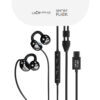
Loop is a wired USB-C open-ear clip earphone with a microphone and inline controls. It does not have an earphone battery to recharge. Choose it if you prefer a cable connection and an open-ear design. It is not a Bluetooth TWS product.
A USB-C socket by itself does not confirm USB-C audio support. Share your exact phone, tablet or laptop model with SmartFlick support to check Loop compatibility, including microphone and control functions. Neither compact earbuds nor an open-ear design should be treated as a guarantee of safety while driving or riding.
Snapo: check the complete charging setup
Snapo is a USB-C charging disconnector. It is a different accessory category from a power bank or charger. Before buying, check compatibility for your exact device, charger and cable together.
Do not assume a guaranteed cutoff at exactly 100%, universal compatibility or a guaranteed improvement in battery lifespan. Charging behaviour can vary with the connected equipment. If a particular cutoff behaviour or charging speed is essential to you, request confirmation for your setup before ordering.
View Snapo’s current product information and buy online, or ask SmartFlick about your charging setup.
Your compatibility checklist before buying
Use these checks to narrow your choice and get a useful answer from support. Keep the exact model names handy: a product family name alone may describe several devices with different capabilities.
Jump to: MagFlick Ultra · Onyx X1 · Loop · Nano 10 · Snapo.
Will MagFlick Ultra suit my phone and case?
- Find your exact phone model and its manufacturer’s wireless-charging specification.
- Note your case model and whether you use a magnetic ring, wallet or other attachment.
- Ask about both physical attachment and supported charging speed for that combination. Treat these as separate checks.
- If wireless compatibility is uncertain, check the USB-C wired option and suitable cable before choosing.
Ask support: “I use [phone model] with [case model]. Is MagFlick Ultra suitable for this combination, and what charging mode can I expect?” See MagFlick Ultra.
What should I check before choosing Onyx X1?
- Identify the device you will pair with and whether your main use is music, calls or both.
- Compare your usual uninterrupted listening time with the stated up-to-four-hour single-charge playback. Ask separately about case recharges; single-charge playback is not total case-inclusive playback.
- If calls are important, request a microphone sample with the recording conditions stated.
- Ask about dimensions and fit guidance. Check the replacement terms before assuming a change-of-mind or fit-related return is available.
Ask support: “I use [device model] mainly for [calls/music], for around [duration] at a time. What fit and playback information is available for Onyx X1?” See Onyx X1.
How do I check Loop USB-C audio compatibility?
- Share your exact phone, tablet or laptop model and software version.
- Specify whether Loop will connect directly or through an adapter or hub.
- Request confirmation of audio playback, microphone and inline controls individually for that setup.
- Choose the open-ear clip format according to your preferred fit; request a demonstration if you are unfamiliar with it.
Ask support: “Will Loop playback, microphone and controls work with [device and software], connected [directly/through this adapter]?” See Loop wired earphones.
Which Nano 10 port and cable should I use?
- List the device or devices you want to charge and the cable connectors you already have.
- Ask which USB-A or USB-C output profile matches your phone’s charging requirements.
- For two devices, ask for the combined output and allocation between ports.
- Ask which charger and cable are suitable for recharging Nano 10 itself. Keep input/recharge specifications separate from phone-charging output.
Ask support: “I want to charge [device models] using [cables]. Which Nano 10 port should I use, and what output is available when both devices are connected?” See Nano 10.
What information is needed to check Snapo?
- Record the exact device, charger and cable models, including any adapter in the connection.
- Describe the charging behaviour you want and ask whether this complete combination has been tested.
- Request the observed disconnect behaviour and any charging-speed limitations for that setup.
- If your setup has not been tested, ask for confirmation before ordering rather than treating another device’s result as a compatibility guarantee.
Ask support: “Has Snapo been tested with [device], [charger] and [cable]? What disconnect behaviour and charging limitations were observed?” See Snapo.
Send your compatibility question to SmartFlick support. Include the relevant model details above. A compatibility enquiry is not an order or confirmation of stock.
Buying online or through retailers in Gujarat, Maharashtra and Rajasthan
You can buy through the official product links above. For retailer availability in Gujarat, Maharashtra or Rajasthan, contact SmartFlick with your city, PIN code and chosen product. Confirm the retailer’s address, current stock and purchase terms before travelling; this guide does not promise availability at any particular location.
Retail businesses can use the retailer enquiry page. Check each product page for the current price, colours and stock at the time of purchase.
Questions to check before ordering
Are MagFlick Ultra and Nano 10 interchangeable?
Both list 10,000mAh capacity, but their charging options differ. MagFlick Ultra offers magnetic wireless charging and USB-C output; Nano 10 focuses on wired USB-A and USB-C charging. Pick according to your device and preferred connection.
Does Loop need Bluetooth pairing?
No. Loop uses a wired USB-C audio connection. Confirm device compatibility before buying.
Does a maximum wattage guarantee that speed?
No. Check the product’s compatibility requirements alongside your device, cable and charger specifications. Do not assume maximum output for every device or for each port when several devices are connected.
Where can I check shipping and replacement terms?
Read the shipping policy and refund and cancellation policy before ordering. For product issues, use warranty support. Do not assume an unconditional seven-day return or refund offer.
This guide is based on SmartFlick’s published product specifications and the linked certification record. It is not an independent performance test. Product listings and purchase terms should be checked again before ordering.